
Why this is no longer optional and how to build it step by step
Let me be direct.
In today’s NGO job market, digital skills are no longer “nice to have.” They are a hiring filter.
Many capable professionals are losing opportunities not because they lack field experience, but because they cannot manage data, tools, and information efficiently. Donors expect evidence. Managers expect speed. Digital skills sit right in the middle.
Here’s what matters and how to approach it practically.
Why digital skills are now critical
Humanitarian and development work has changed quietly but completely.
Projects are larger, timelines are tighter, and reporting demands are heavier. One field visit can generate hundreds of data points. If those data are not captured, cleaned, and presented well, the work almost doesn’t exist in donor terms.
This is why hiring managers increasingly ask:
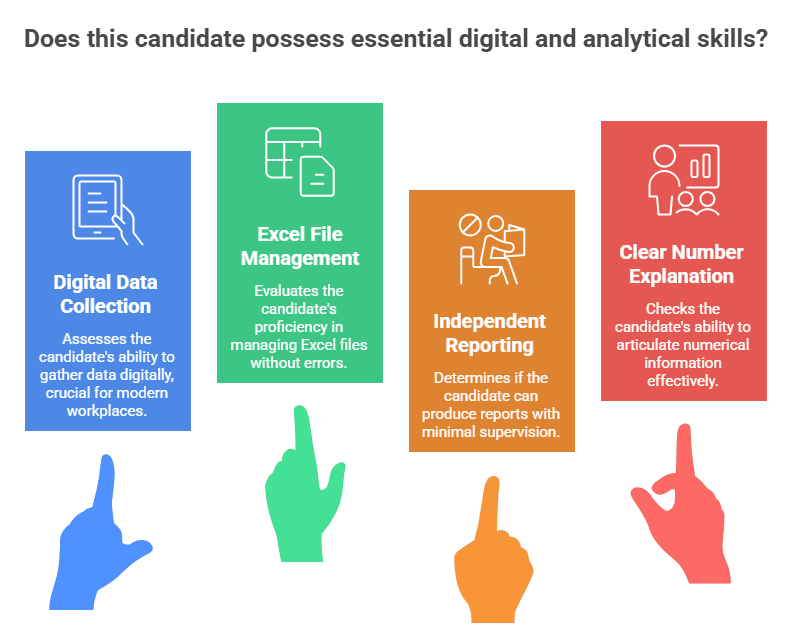
- Can this person collect data digitally?
- Can they manage Excel files without breaking them?
- Can they support reporting without constant supervision?
- Can they explain numbers clearly?
People who can do this reduce risk for the organization. That’s why they are hired faster and promoted earlier.
Core digital tools you should understand
You don’t need to be an IT expert. You need functional confidence.
KoboToolbox and ODK
These are standard for digital data collection in humanitarian and develpoment sector.
What you should know: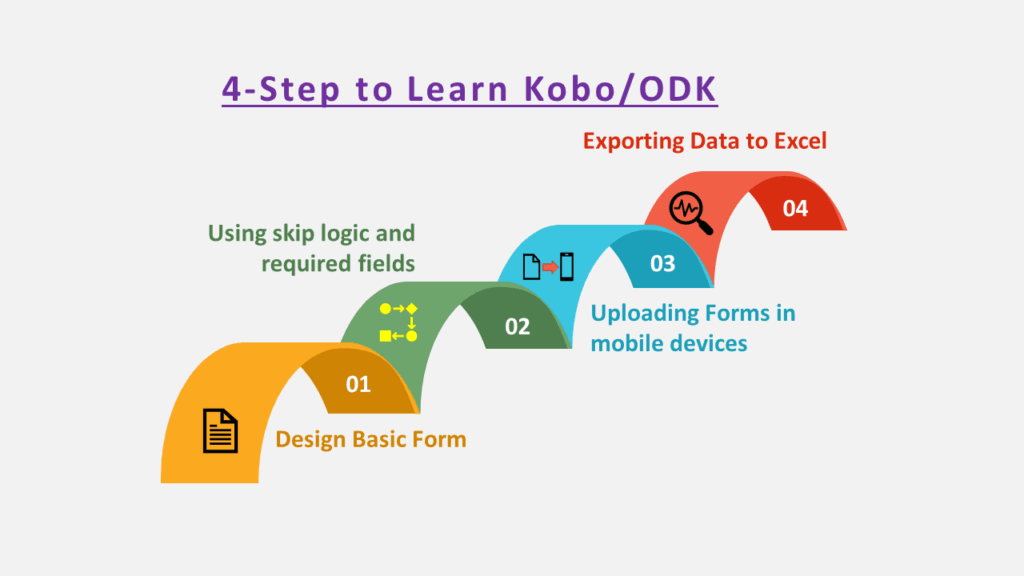
- Designing basic forms
- Using skip logic and required fields
- Uploading forms to mobile devices
- Exporting data to Excel
Practical tip:
Create a simple household survey or post-training feedback form. Practice collecting data from 10 people. Real use matters more than certificates.
Excel beyond basics
This is where many professionals struggle.
Minimum skills that make you competitive:
- Data cleaning using filters
- VLOOKUP or XLOOKUP
- IF formulas
- Pivot tables
- Basic charts
Practical tip:
Take one messy dataset and clean it fully. Rename variables, remove duplicates, create summaries. This is exactly what you’ll do at work.
Power BI and basic dashboards
You don’t need advanced analytics. Exposure is enough.
What helps:
- Importing Excel data
- Creating simple visuals
- Understanding how dashboards support decision-making
Practical tip:
Build one dashboard showing training participants by gender, location, and month. Keep it simple. Hiring managers care more about clarity than complexity.
Simple data visualization
Clear visuals save time and build trust.
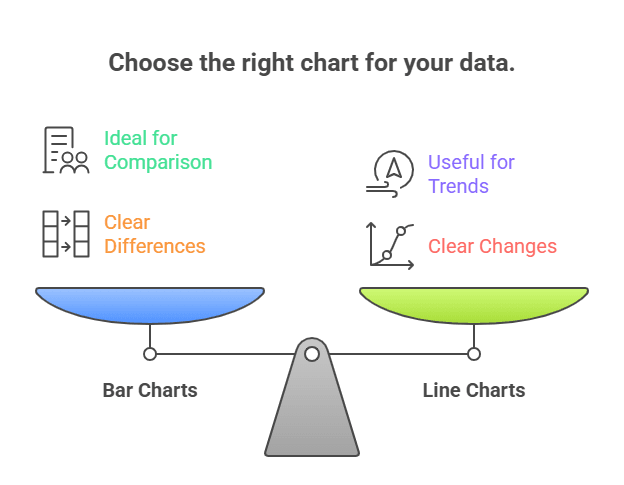
Focus on:
- Bar charts for comparison
- Line charts for trends
- Avoiding clutter
Practical tip:
If someone can understand your chart in 10 seconds, it’s good. If you need to explain it verbally, it’s not.
Document and file management
This sounds boring, but it matters more than people admit.
You should be able to:
- Maintain organized folders
- Use clear file naming conventions
- Track versions of reports
- Manage shared drives
Practical tip:
Treat documents like assets. If someone else cannot find your file easily, you’ve created extra work.
How to learn these skills realistically
You don’t need expensive courses.
Here’s what works:
- Use free online tutorials for Kobo, Excel, and Power BI
- Practice with real or dummy project data
- Volunteer to support data tasks in your current role
- Learn one tool properly instead of five tools poorly
Consistency beats intensity. One hour a day for two months is enough to change your profile.
How to apply these skills in real jobs
Start small and visible.
- Offer to digitize paper forms
- Support monthly reports with charts
- Help clean beneficiary databases
- Assist M&E teams during surveys
Once managers see you reduce workload, you become valuable very quickly.
Bottom line:
Digital skills don’t replace field experience. They amplify it.
In the current NGO job market, professionals who can combine community work with data handling are more employable, more mobile, and more trusted.
If you’re entry or mid-level and unsure what to learn next, start here. This is one of the safest investments you can make in your career.
- Tags:

Mohammed Zafor Ullah Nizam
Mohammed Zafor Ullah Nizam is a seasoned professional with over 22 years of experience in the development sector, both internationally and nationally. He holds two postgraduate degrees from Dhaka University: A Master in Population Sciences (MPS) and a Master in Public Affairs (MPA) with a specialization in Governance and Public Policy. Additionally, he earned a B.Sc. (Honors) in Forestry from Chittagong University.Throughout his extensive career, Mr. Zafor has held pivotal roles in several esteemed organizations. He has served as a Senior Protection Manager at the International Rescue Committee (IRC), Protection Team Leader at Oxfam, and both Protection Capacity Building Manager and Activity Manager at Solidarités International. His experience extends to Save the Children, where he was a Deputy Program Manager, and Chemonics, as a Brand and Service Promotion Specialist. Furthermore, he has contributed his expertise as a Project Assistant at UNFPA Bangladesh, a Senior Training Officer at Save the Children Australia, a National UN Volunteer at UNODC, and a Program Manager at the Bangladesh Women Health Coalition.Mr. Zafor has an impressive track record in training and capacity building. He received specialized training in Project Planning, Development, and Management (PPDM) from the Asian Institute of Management (AIM) in the Philippines. He also completed the COMPASS training program from Harvard Business Publishing, which covers essential skills such as Change Management, Coaching, Decision Making, Delegating, Managing Difficult Interactions, Providing Feedback, Leading People, Persuading Others, and Presentation Skills. Additionally, he has undergone training in Leadership, Time Management, and Conflict and Stress Management from MDS Training.His expertise in training facilitation is well-recognized. Mr. Zafor has conducted PPDM training for five batches through BDJOBS and has provided training to over 1000 participants on a wide range of topics. These include project management, management skills enhancement, child rights, protection, community engagement, community-based protection, monitoring and data analysis, advocacy, inclusiveness, child protection, protection rapid assessment, research tool design, anti-trafficking, communication skills, data analysis, report writing, risk management, and emergency response.Mr. Zafor's training sessions have benefited participants from various sectors, including government agencies, local and national NGOs, and international NGOs. Some of the organizations he has worked with include JTS, Swanirvar Bangladesh, PSTC, SUPPS, SSKS, Image, CWFD, BAMANEH, PSF, Fair Foundation, BWHC, Mukti, YPSA, BLAST, VERC, CODEC, FIVDB, RDRS, Oxfam, IRC, and Solidarités International.With his comprehensive background in capacity building in different areas, Mohammed Zafor Ullah Nizam wants to continue to make significant contributions to the knowledge and skill development of different professionals through effective training and guidance.